
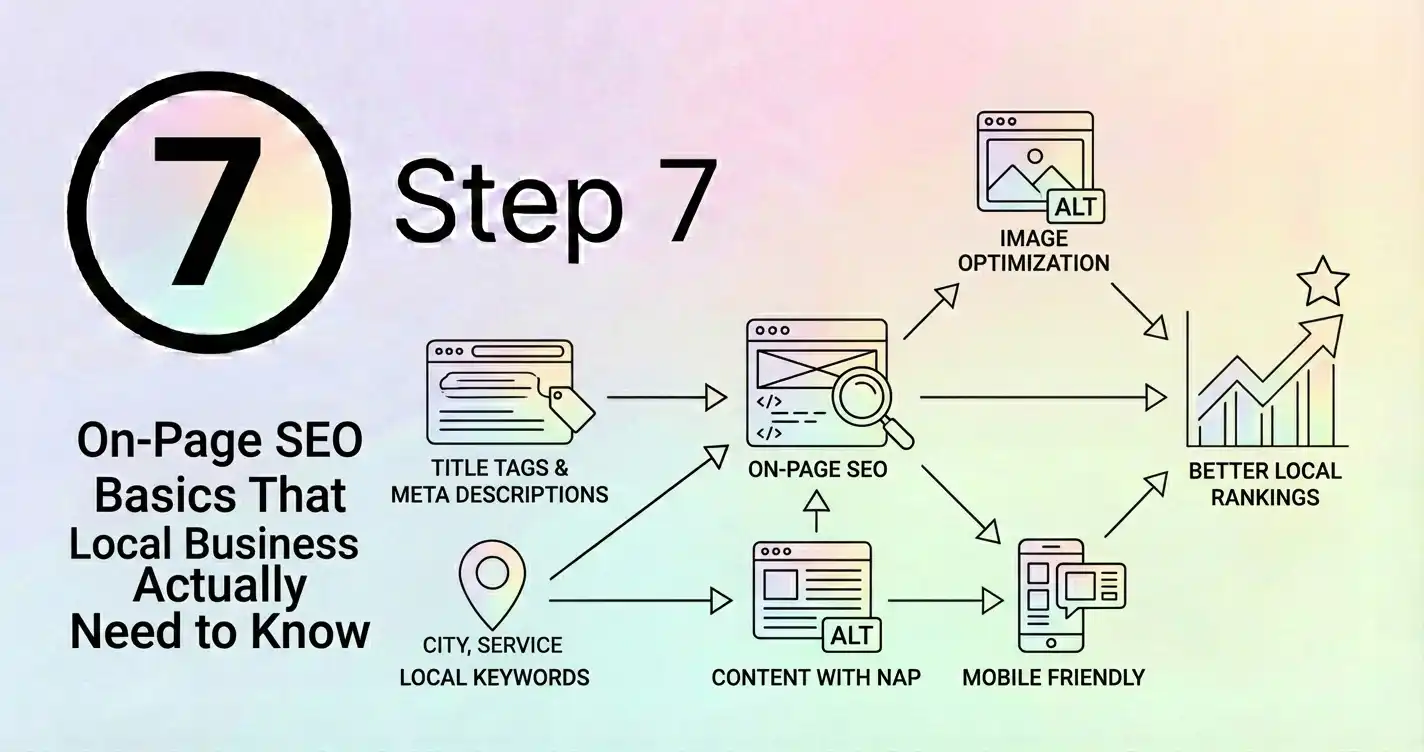
On-page SEO sounds technical and complicated, but it's really just about making sure your website clearly tells Google (and your visitors) what you do and where you do it.
Most local businesses overthink this. They worry about meta tags and schema markup and all sorts of technical stuff that, while useful, isn't where you should start.
The basics matter most. Get those right and you're ahead of most of your competitors. Let me walk you through what actually matters for a local business website.
Your Page Titles (The Most Important Bit)
Every page on your website has a title tag. It's what shows up in search results as the blue clickable link. It's also what shows in the browser tab when someone's on your page.
This is probably the single most important on-page SEO element. Google pays a lot of attention to it.
For your homepage, your title should include what you do and where you do it. Something like "Smith Plumbing - Emergency Plumber in Birmingham" is better than just "Smith Plumbing" or "Welcome to Our Website."
For other pages, the title should describe what's on that page. If it's your services page, maybe "Plumbing Services in Birmingham - Boiler Repairs, Installations & More." If it's a location page, maybe "Plumber in Moseley, Birmingham - 24/7 Emergency Service."
Keep them under 60 characters if you can, because that's roughly how much Google shows in search results. Anything longer gets cut off.
And make them unique. Every page should have a different title. Don't just use your business name on every page.
Your Headings (The Structure That Matters)
Your page content should be organized with headings. There's a hierarchy: H1 is the main heading, H2s are subheadings, H3s are sub-subheadings, and so on.
Your H1 should be the main topic of the page. Usually there's only one H1 per page. For your homepage, it might be something like "Professional Plumbing Services in Birmingham." For a service page, maybe "Boiler Repair and Installation."
Then use H2s to break up your content into sections. If you're writing about your services, each service might be an H2. If you're writing about your coverage area, each area might be an H2.
This isn't just for SEO. It makes your content easier to read. People scan web pages, they don't read every word. Headings help them find what they're looking for.
And Google uses headings to understand the structure and topic of your content. So use them properly.
Your Content (What You Actually Write)
This is where a lot of businesses struggle. They know they need content, but they don't know what to write.
Here's the thing: write for humans first, search engines second. If you write naturally about what you do and where you do it, the keywords will appear naturally.
Don't stuff keywords into every sentence. Don't write "As a Birmingham plumber offering plumbing services in Birmingham, we provide Birmingham residents with quality Birmingham plumbing." That's awful and Google will penalize you for it.
Instead, write naturally. "We're a family-run plumbing business based in Birmingham, covering the city and surrounding areas. We specialize in emergency repairs, boiler installations, and bathroom renovations."
See the difference? The second version is readable, informative, and still includes the relevant keywords naturally.
Aim for at least 300 words per page, ideally more. Google tends to favor longer, more comprehensive content. But don't pad it out with fluff just to hit a word count. Every sentence should serve a purpose.
Your URLs (Keep Them Simple)
Your page URLs should be clean and descriptive. Not "www.yoursite.com/page?id=123" but "www.yoursite.com/plumbing-services" or "www.yoursite.com/birmingham-plumber."
Include your main keyword if it makes sense, but keep it natural. Don't create URLs like "www.yoursite.com/best-cheap-emergency-plumber-birmingham-24-7."
And keep them short. Shorter URLs are easier to share and easier for Google to understand.
If you're using WordPress or another CMS, you can usually customize your URLs. Take advantage of that.
Your Meta Descriptions (The Sales Pitch)
The meta description is the text that appears under your page title in search results. It doesn't directly affect your rankings, but it affects whether people click on your result.
Think of it as a mini advertisement. You've got about 155 characters to convince someone to click on your site rather than your competitor's.
Include your main keyword, but focus on being compelling. "Professional plumber in Birmingham. 24/7 emergency service, no call-out charge, all work guaranteed. Call now for a free quote."
That tells people what you do, where you do it, and why they should choose you. Much better than "Welcome to our website. We are a plumbing company."
Images and Alt Text
Every image on your website should have alt text. This is a description of the image that screen readers use for visually impaired visitors, and that Google uses to understand what the image shows.
Don't just write "image1.jpg" or leave it blank. Describe what's in the image. If it's a photo of a boiler installation you did, the alt text might be "New Worcester Bosch boiler installation in Moseley, Birmingham."
This helps with accessibility, which is important. And it helps Google understand your content better, which can help with rankings.
It can also help you show up in image search results, which is a bonus source of traffic.
Internal Linking (Connecting Your Pages)
Link between your pages where it makes sense. If you mention a service on your homepage, link to the page about that service. If you mention a location, link to your location page for that area.
This helps visitors navigate your site. And it helps Google understand the structure of your site and which pages are most important.
Use descriptive anchor text (the clickable text of the link). Instead of "click here," use "our emergency plumbing services" or "plumbing in Moseley."
Don't overdo it. A few relevant internal links per page is plenty. You're not trying to link every mention of every keyword.
Your Contact Information
Your contact information should be on every page, usually in the header or footer. Name, address, phone number.
This is partly for user experience - people should be able to contact you easily from any page. But it's also an SEO signal. It reinforces to Google where you're based and how to contact you.
Make sure it matches your Google Business Profile exactly. Same format, same details. Consistency matters.
Mobile Optimization (Again)
I've covered this in another post, but it's worth mentioning here too. All of this on-page SEO stuff needs to work on mobile.
Your titles need to be readable on small screens. Your content needs to be easy to read without zooming. Your images need to load quickly.
Google primarily uses your mobile site for ranking now, so if your on-page SEO only works on desktop, it's not really working at all.
The Schema Markup Thing
Schema markup is code you add to your website that gives Google structured information about your business. Your address, phone number, opening hours, services, reviews, all that stuff.
It's useful and can help you show up in rich results (those enhanced search results with extra information). But it's not essential for basic on-page SEO.
If you're comfortable with code or your website platform has a plugin for it, go ahead and add it. If not, focus on the basics first. You can always add schema later.
What About Keywords?
I've mentioned keywords throughout this, but I haven't talked about keyword research. That's because for most local businesses, keyword research is pretty straightforward.
You want to rank for "[your service] [your location]" and variations of that. "Plumber Birmingham," "emergency plumber Birmingham," "boiler repair Birmingham," and so on.
You don't need fancy keyword research tools. Just think about what people would search for when looking for your business. Those are your keywords.
Include them naturally in your titles, headings, and content. Don't force them in where they don't fit. Don't repeat them endlessly. Just use them where it makes sense.
How Long Does This Take?
Setting up good on-page SEO for a small business website might take a few hours. Going through each page, optimizing the titles, adding proper headings, improving the content, adding alt text to images.
It's not quick, but it's not complicated either. And once it's done, it's done. You just need to maintain it as you add new pages or update existing ones.
Does This Actually Make a Difference?
Yes. I've seen businesses improve their rankings significantly just by sorting out their on-page SEO.
It's not the only factor, but it's an important one. And it's something you have complete control over. You don't need to wait for other sites to link to you or for reviews to accumulate. You can just do it.
Most of your competitors probably haven't bothered with this stuff properly. Their page titles are generic, their content is thin, their images don't have alt text. If you do it properly, you're already ahead.
The Ongoing Maintenance
On-page SEO isn't a one-time thing. As you add new pages, you need to optimize them. As you update existing pages, you should review their SEO.
But it becomes second nature pretty quickly. Once you understand the basics, it's just part of how you create content for your website.
And unlike some SEO tactics that stop working when Google changes their algorithm, good on-page SEO is pretty stable. The fundamentals haven't changed much in years and probably won't change much in the future.
Focus on making your website clear, useful, and well-organized. Tell Google and your visitors what you do and where you do it. That's what on-page SEO is really about.