
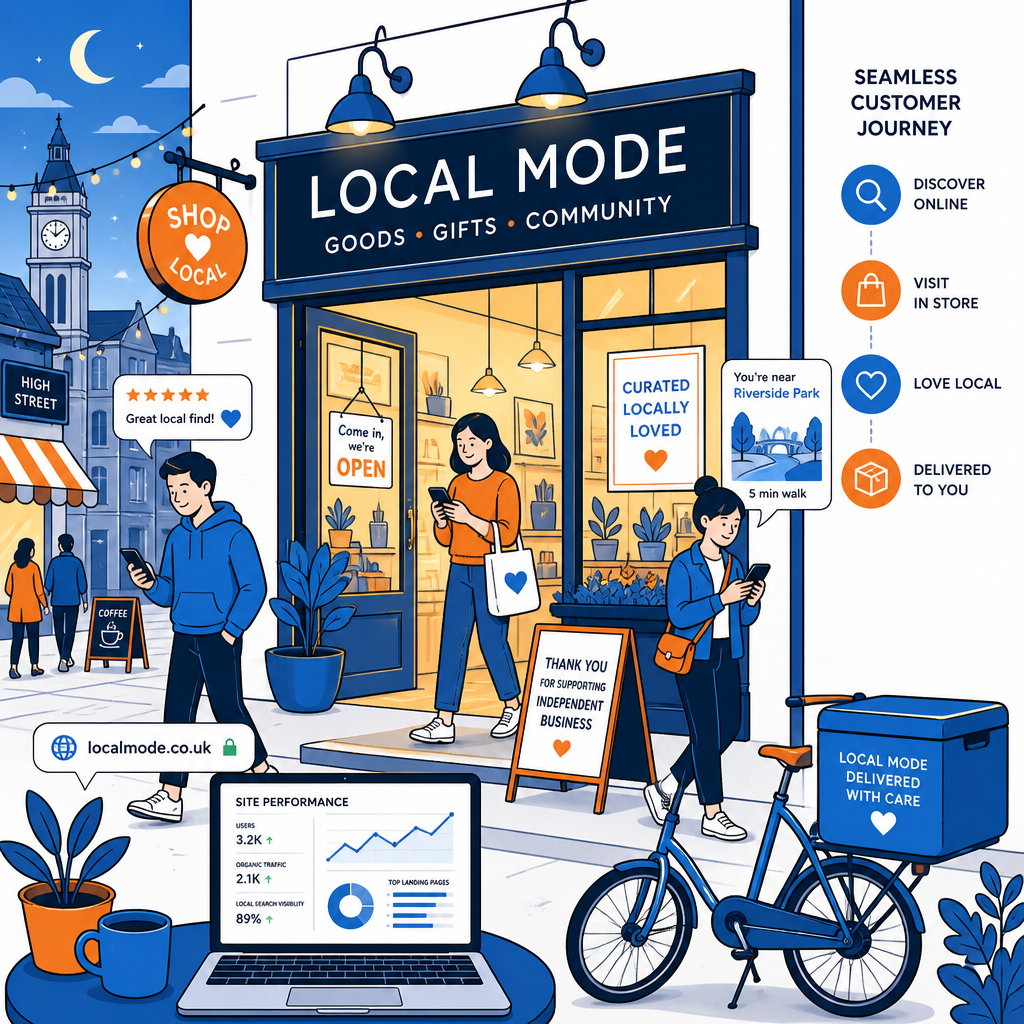
Technical SEO Audit the Sexiest SEO in the World Way sounds like an unusual title for a guide aimed at small High Street businesses. It does make one useful point, though. Technical SEO can feel dry when it lives inside a spreadsheet, yet the work has a direct effect on whether local customers find your shop, café, salon or studio. A slow website, a missing location page or a confusing mobile menu can quietly send people elsewhere.
For a local business, technical SEO starts with the practical details. Search engines need to understand where you are, what you offer and which pages deserve attention. Customers need a website that loads quickly on a phone while they stand near the station, browse during lunch or search from the next street.
Why a technical SEO audit matters on the High Street
A technical SEO audit is a health check for your website. It looks at the way pages are found, read and stored by search engines. It also examines the experience people get when they arrive. For an independent business, that connection matters because local searches often carry immediate intent. Someone searching for a florist in York may want a bouquet today. A person looking for a barber in Bristol may be ready to book within minutes.
Small technical faults can interfere with that journey. Google may struggle to crawl a page, a booking form may fail on an iPhone, or an old service URL may lead to a dead end. Each issue can seem minor in isolation. Together, they create a website that feels unreliable. I have seen businesses spend hours polishing their social media while a broken contact page sits quietly underneath every campaign.
A useful audit question
Could a new customer find your location, understand your service, check your opening hours and contact you from a mobile phone within two minutes?
Technical SEO Audit the Sexiest SEO in the World Way
The phrase Technical SEO Audit the Sexiest SEO in the World Way is playful, although the process behind it is quite grounded. Think of the audit as a visit through your digital shopfront. You check the entrance, the signs, the path to the till and the way the lights work after dark. A website deserves the same attention as a physical premises, especially when most local customers first encounter the business online.
Start with access. Search engines should be able to crawl the important parts of your site. Your robots.txt file can guide crawlers, while an XML sitemap can list useful pages. Search Console can show whether Google has discovered your URLs and whether indexing problems have appeared. These tools are free, although the information can feel technical at first.
- Check that your main service and location pages appear in Google.
- Review Google Search Console for indexing, mobile and security issues.
- Test important pages on a phone using a reliable mobile connection.
- Look for broken links, missing images and forms that fail to send enquiries.
- Check that old pages redirect to the closest current page.
- Confirm that every important page has a clear title and description.
The audit should follow the path a real customer takes. Visit the home page, open the menu, find a service, check the address and try to make contact. The small awkward moments are useful evidence. A menu that takes too long to understand can cost enquiries even when the page ranks well.
Check speed and mobile performance
Mobile performance deserves close attention for High Street businesses. People search while walking, travelling by bus or standing outside another shop. A page that takes several seconds to load can lose the moment. Large images, unneeded scripts, heavy booking tools and poorly configured hosting often create the delay.
Use PageSpeed Insights and Lighthouse as starting points. Look at the experience rather than chasing a perfect score. Check whether the main content appears quickly, whether buttons move around as the page loads and whether the phone screen remains easy to use. A well-compressed image of your shop can still look inviting. It does not need to arrive at the size of a poster.
| Audit area | What to inspect | Local business benefit |
|---|---|---|
| Page speed | Images, scripts and server response | Fewer people leave before contacting you |
| Mobile layout | Buttons, menus and readable text | Customers can act while they are nearby |
| Local signals | Address, phone number and opening hours | Search engines can connect you with the area |
Make your local information easy to trust
Your name, address and phone number should appear consistently across the website and key listings. Small differences create uncertainty. Check the footer, contact page, Google Business Profile, social profiles and directories such as Yell or local chamber listings. An old phone number can send a valuable enquiry into silence.
Use one clear page for each important location or service where the information deserves its own space. A café might have pages for breakfast, private hire and its town-centre location. A plumbing business serving several nearby areas can create useful local pages with genuine details about travel times, common jobs and booking arrangements. Thin pages filled with repeated town names rarely help anyone.
Structured data can give search engines extra context. LocalBusiness schema may include your address, phone number, opening hours and website. A developer or SEO specialist can add it safely. Keep the markup aligned with the information visible on the page. Search engines respond better to clear evidence than to ambitious claims hidden in code.
Review titles, headings and internal links
Every important page needs a clear title. “Services” says very little. “Women’s Haircuts in Leeds City Centre” gives search engines and visitors a much better starting point. Keep titles readable, with the service and location included where they belong. The same care applies to the main heading, page copy and image descriptions.
Internal links help people move around the site. A page about wedding flowers can link to the consultation page, the portfolio and the shop location. Use descriptive link text that explains where the visitor will go. This creates a sensible route through the website and helps search engines understand how the pages relate to one another.
Check for duplicate pages as well. Website platforms can create several versions of similar content through tags, filters or old campaign URLs. Canonical tags, redirects and sensible navigation can tidy the structure. The right fix depends on the platform, so this is a useful point to discuss with whoever manages your website.
Turn audit findings into a manageable plan
An audit report can become overwhelming when every issue receives the same urgency. Give each problem a practical priority. A broken enquiry form deserves attention before a minor image naming issue. A page blocked from indexing needs a closer look before a small wording change in a footer.
- Fix issues that prevent customers from calling, booking or finding the premises.
- Resolve crawl and indexing problems affecting key service pages.
- Improve mobile speed and layout on the pages that attract the most visits.
- Clean up duplicate, outdated or broken URLs.
- Add stronger local details, page titles and internal links.
- Measure calls, direction requests, bookings and contact form submissions.
Keep a simple record of changes and dates. Search rankings can move for several reasons, and memory becomes unreliable after a few months. Look at Google Business Profile actions, organic traffic, phone calls and enquiry quality. A modest rise in relevant enquiries matters more than a decorative jump in visits from people who live hundreds of miles away.
How often should a small business run an audit?
A full audit once or twice a year suits many small businesses. Run a shorter check after a website redesign, a platform change, a new booking system or a change of premises. Monthly checks can cover the essentials: opening hours, contact details, important forms, mobile use and Search Console alerts.
You can handle basic checks yourself. A specialist becomes useful when the site has hundreds of pages, a complicated shop system or a long history of redesigns. Ask for a prioritised action list with plain explanations. You should understand what will change, why it matters and how the result will be measured.
Technical SEO Audit the Sexiest SEO in the World Way for local growth
Technical SEO Audit the Sexiest SEO in the World Way works as a memorable reminder that technical work should serve real people. For a small High Street business, the strongest audit follows the customer from search result to shop door. It checks speed, mobile use, local details, indexing, links and contact routes. Once those foundations work together, your website has a better chance of bringing nearby customers through the door.